On this page
curl -s https://jedarden.com/guides/ci-on-rackspace-spot.md GitHub Actions spent nearly nine hours degraded on August 6, 2026 — delayed and failed workflow runs, errors on the Actions API, and job success rates as low as 30–40% at the worst of it. The incident opened at 15:22 UTC, was mitigated at 00:05 the next day, and wasn’t declared resolved until 02:04 — almost eleven hours end to end. (An earlier version of this post said “about five hours”; it was written while the incident was still open, and the incident outlasted the estimate.) It wasn’t an outlier: GitHub logged 26 incidents in April, 23 in May, 23 in June, and six more in the first six days of August alone. Self-hosted runners don’t save you here, either — the orchestration layer that queues and dispatches runs is still GitHub’s, so a control-plane incident stalls self-hosted runners exactly like it stalls hosted ones.
None of that makes GitHub Actions bad software. It makes it a single point of failure you don’t control, for a job — running your tests and builds — that has no hard dependency on any one vendor. This guide is the pattern I actually run: Argo Workflows for the CI jobs themselves, Argo Events to receive the webhooks, on a Rackspace Spot Kubernetes cluster priced by open auction — cents per hour, not fractions of a cent per minute. The build that turns this article into the page you’re reading runs through the same kind of pipeline.
This isn’t a drop-in replacement. You lose the Marketplace Actions ecosystem and GitHub’s hosted UI; you gain a system nothing outside your own cluster can take down, at a small fraction of the per-minute cost. Read the caveats at the bottom before you commit to it.
What you’ll need#
- A working Rackspace Spot cloudspace with a long-lived kubeconfig. If you don’t have one yet, the previous guide covers account setup, region/bid selection, and the two first-boot fixes every new cloudspace needs (Calico’s node-IP autodetection, and the Docker Hub anonymous-pull throttle) — both bite CI nodes just as hard as dev-environment nodes.
kubectlinstalled locally- A git host that can send webhooks on push (GitHub, GitLab, Forgejo/Gitea all work identically here — this guide uses GitHub’s payload shape, but Argo Events’ generic webhook source doesn’t care which one you point at it)
- A container registry to push images to (Docker Hub, GHCR, your own — any registry your bid class can reach)
Part 1 — Install Argo Workflows and Argo Events#
Both are plain Kubernetes controllers — no dependency on a specific cloud, which is the point.
kubectl create namespace argo-workflows
kubectl apply -n argo-workflows -f \
  https://github.com/argoproj/argo-workflows/releases/latest/download/install.yaml

kubectl create namespace argo-events
kubectl apply -n argo-events -f \
  https://raw.githubusercontent.com/argoproj/argo-events/stable/manifests/install.yaml
kubectl apply -n argo-events -f \
  https://raw.githubusercontent.com/argoproj/argo-events/stable/manifests/native-event-bus-install.yaml
Confirm both sets of pods reach Running before continuing:
kubectl get pods -n argo-workflows
kubectl get pods -n argo-events
If a pod sits ImagePullBackOff on a fresh node, that’s the Docker Hub
anonymous-pull throttle from the previous guide — it hits system images on
every newly created Spot node, not just your own. Fix the registry secret
before debugging anything else.
Part 2 — The WorkflowTemplate is the CI job#
A WorkflowTemplate is the reusable definition; the git-triggered Workflow
that runs on every push just references it. The whole chain, end to end, is
six pieces:
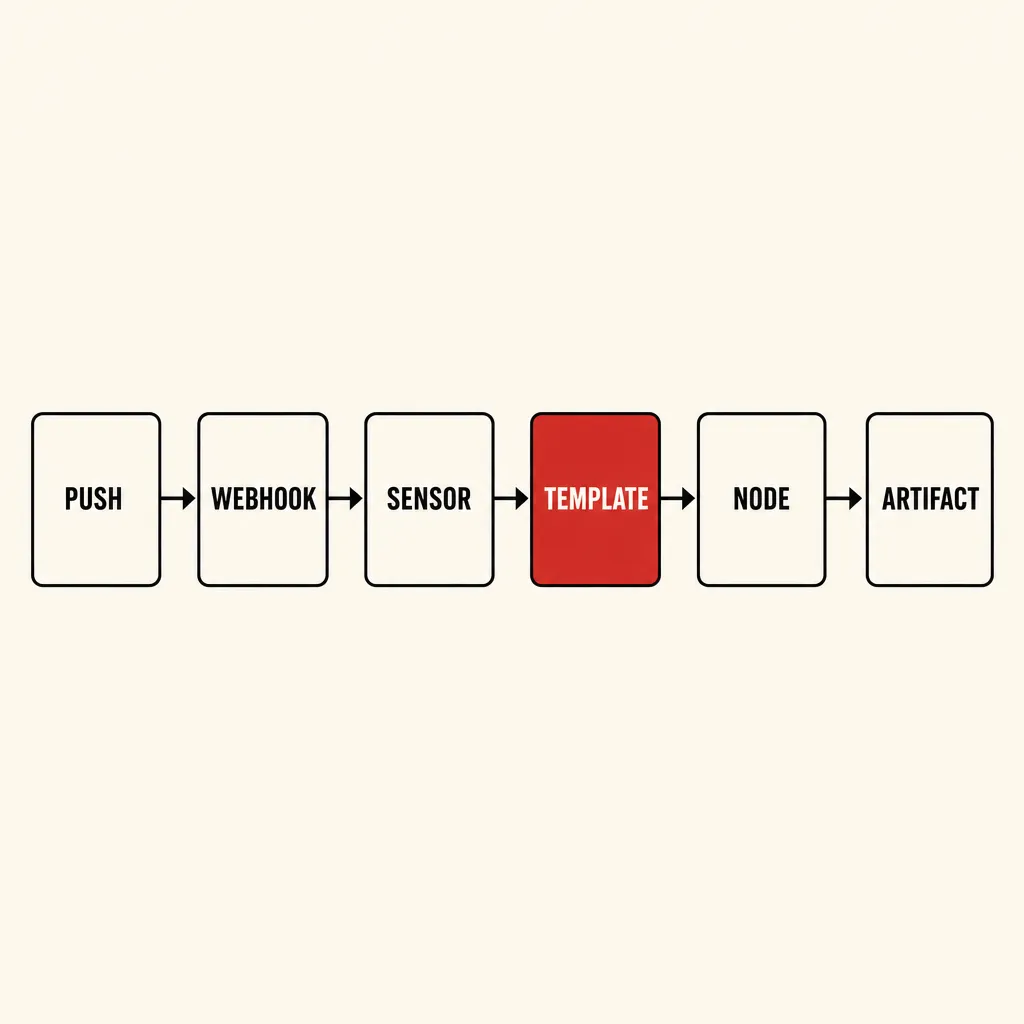
Rootless image builds inside Kubernetes normally mean Kaniko or Buildkit rather than Docker-in-Docker — Kaniko needs no privileged pod, which matters on a shared cluster:
apiVersion: argoproj.io/v1alpha1
kind: WorkflowTemplate
metadata:
  name: container-build
  namespace: argo-workflows
spec:
  entrypoint: build
  arguments:
    parameters:
      - name: repo-url
      - name: revision
      - name: image
  templates:
    - name: build
      inputs:
        parameters:
          - name: repo-url
          - name: revision
          - name: image
      initContainers:
        - name: clone
          image: alpine/git:2.45.2
          command: [sh, -c]
          args:
            - "git clone {{inputs.parameters.repo-url}} /work && \
               git -C /work checkout {{inputs.parameters.revision}}"
          volumeMounts:
            - name: workdir
              mountPath: /work
      container:
        image: gcr.io/kaniko-project/executor:latest
        args:
          - --context=/work
          - --destination={{inputs.parameters.image}}:{{inputs.parameters.revision}}
        volumeMounts:
          - name: workdir
            mountPath: /work
          - name: docker-config
            mountPath: /kaniko/.docker
      volumes:
        - name: workdir
          emptyDir: {}
        - name: docker-config
          secret:
            secretName: registry-credentials
Two things that aren’t obvious until they cost you an afternoon:
The controller’s default podGC is OnPodCompletion — the pod
disappears the instant the job finishes, success or failure. If you’re
debugging a failing build, stream its logs while it’s still running
(kubectl logs -f <pod> -n argo-workflows) or submit a one-off debug
Workflow with podGC: {strategy: OnWorkflowCompletion} to keep evidence
around.
A generic multi-repo template beats one template per repo. Once you
have more than two or three repos building the same way, parameterize
repo-url/image (as above) and pass different values per Workflow rather
than copy-pasting the template. Detecting which subdirectory changed in a
monorepo is a git diff --name-only in an init container, not a special
Argo feature.
Part 3 — Wire up the webhook with Argo Events#
An EventSource exposes an HTTP endpoint and validates the webhook; a
Sensor watches for events on it and submits the Workflow.
apiVersion: argoproj.io/v1alpha1
kind: EventSource
metadata:
  name: github
  namespace: argo-events
spec:
  service:
    ports:
      - port: 12000
        targetPort: 12000
  webhook:
    push:
      port: "12000"
      endpoint: /push
      method: POST
---
apiVersion: argoproj.io/v1alpha1
kind: Sensor
metadata:
  name: github-push
  namespace: argo-events
spec:
  dependencies:
    - name: push-dep
      eventSourceName: github
      eventName: push
  triggers:
    - template:
        name: submit-build
        argoWorkflow:
          operation: submit
          source:
            resource:
              apiVersion: argoproj.io/v1alpha1
              kind: Workflow
              metadata:
                generateName: container-build-
                namespace: argo-workflows
              spec:
                workflowTemplateRef:
                  name: container-build
                arguments:
                  parameters:
                    - name: repo-url
                      value: "https://github.com/your-org/your-repo"
                    - name: revision
                      value: "main"
                    - name: image
                      value: "your-registry/your-repo"
Expose the EventSource’s Service through whatever ingress you already run —
don’t hand it a public IP with nothing in front of it. At minimum, put your
git host’s webhook secret in Argo Events’ HMAC validation
(spec.webhook.push.filter / the source’s secureChannel config in newer
versions) so the endpoint rejects anything that isn’t actually signed by
your git host.
Part 4 — Preemption: retry on Spot, fall back to on-demand#
This is spot capacity: when the auction price rises above your bid, the node — and any pod on it — is gone with no warning. For a CI job, that’s a build failure that had nothing to do with your code.
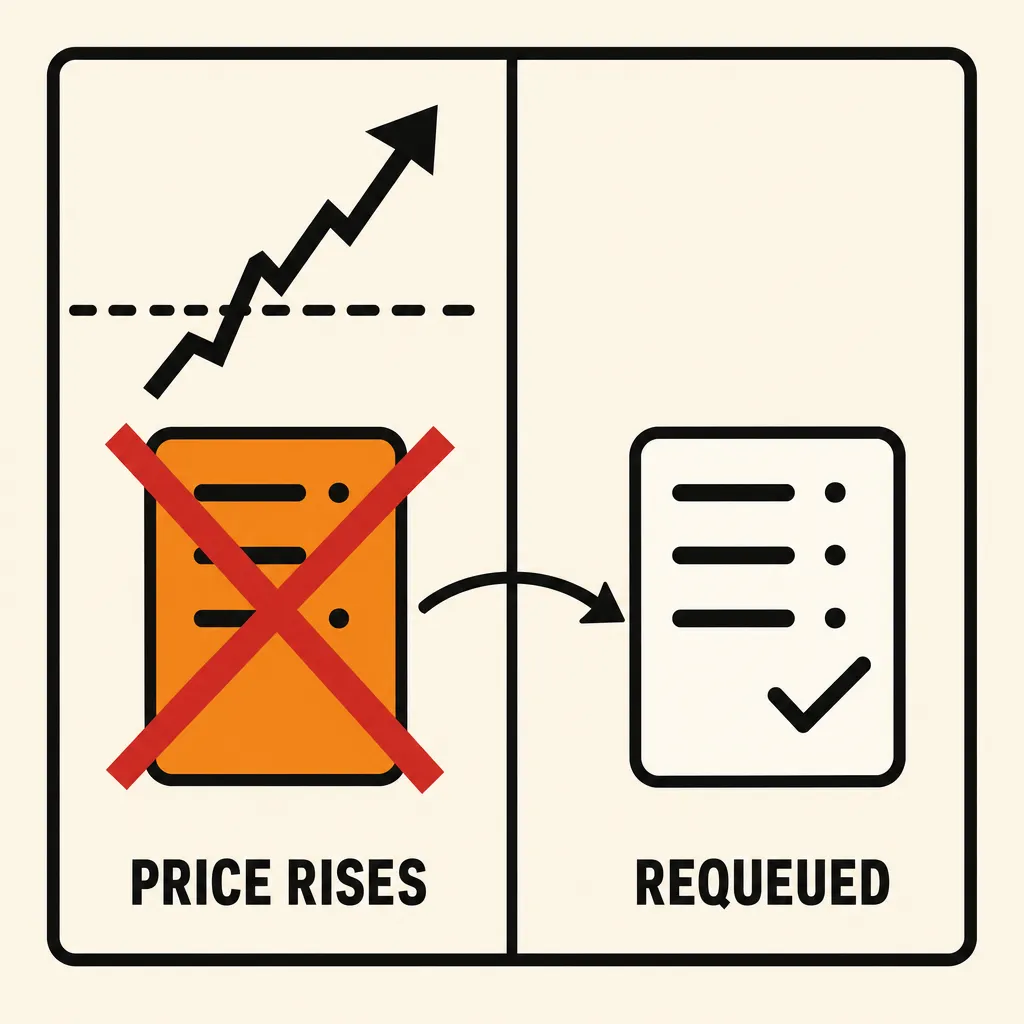
Bid at the p80 percentile, not the current market price. The live pricing table shows p20/p50/p80 for every server class: a standing bid at p80 would have kept a node through roughly 80% of its recent sampling window. Bidding exactly today’s market price wins the node right now and gets preempted at the next uptick.
As of July 2026, new bids floor at $0.01/hr, rounded to fixed steps — $0.01 increments up to $0.04/hr, $0.02 up to $0.10/hr, $0.03 up to $0.20/hr, $0.05 above that (Rackspace’s changelog has the exact table). That’s a floor on what you can newly bid, not on what you pay: a bid placed before the change that sits below $0.01/hr keeps running unchanged, so the market-clearing price on any given class can still land below a cent — you just can’t be the one placing a new bid down there anymore. If your target percentile comes back under $0.01/hr, round up to $0.01/hr or the nearest step above it.
Let Argo retry on spot first — it’s usually enough:
spec:
  retryStrategy:
    limit: "2"
    retryPolicy: OnError
  nodeSelector:
    pool: spot
  tolerations:
    - key: pool
      operator: Equal
      value: spot
      effect: NoSchedule
For anything that can’t tolerate a retry-and-wait — a release build with
a deadline — add a second on-demand node pool and a second WorkflowTemplate
(or a priorityClassName) that targets it instead of spot. Rackspace
Spot’s on-demand tier prices well above the auction floor, which is exactly
why it works as a fallback: it’s expensive enough that almost nothing runs
on it, so it’s rarely the thing being preempted, and cheap enough relative
to what a missed release costs that eating the difference on the rare
critical build is a non-decision. Point your release pipeline’s Workflow at
the on-demand pool by nodeSelector the same way the spot pool is targeted
above.
Cost, roughly#
GitHub-hosted Linux 2-core runners bill overage minutes at $0.006/min (~$0.36/hr), per GitHub’s published pricing as observed on August 8, 2026. Rackspace Spot’s comparable class — a 2 vCPU / 3.75 GB general-purpose node — has a $0.01/hr minimum new bid as of Rackspace’s July 2026 pricing change (see the caveat below), still roughly 36× cheaper than the GitHub rate. The pricing table will show you today’s actual market-clearing price for your region, which can sit below that minimum on capacity held by bids placed before the change.
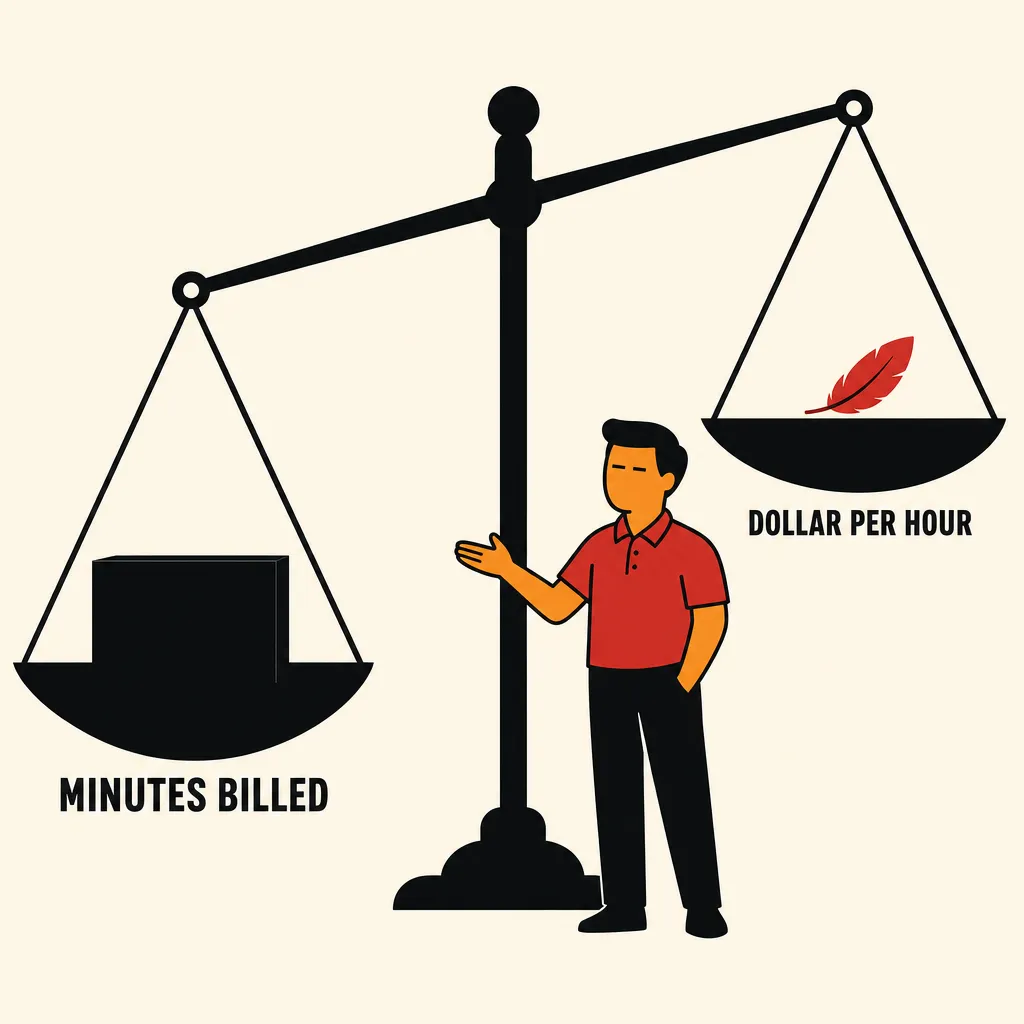
That’s not an apples-to-apples comparison and I won’t pretend it is: GitHub’s minutes buy you zero ops, a UI, log retention, and the Marketplace Actions ecosystem. What you’re paying for on the Spot side is the infrastructure this guide just walked through, and you maintain it. The comparison is only fair once you count your own time — but if you’re already running a Spot cluster for other reasons (as in the DevPod guide), the marginal cost of routing CI through the same cluster is close to free.
Caveats worth knowing#
- This is not a GitHub Actions clone. There’s no Marketplace, no
reusable Actions ecosystem, no hosted log UI out of the box (Argo
Workflows ships its own UI, which is not the same thing). You’re writing
containers, not YAML
uses:steps. - Rackspace doesn’t publish how deep the spot pool is at any price. The auction price is your only signal — there’s no API or console view that shows “N nodes available.” Bid at a percentile you’re comfortable with and let preemption handling (Part 4) absorb the rest, rather than trying to reason about capacity you can’t observe.
- The $0.01/hr minimum bid is new capacity only. Rackspace changed this
in July 2026 (see the changelog);
existing bids below $0.01/hr keep running untouched, so don’t be surprised
if the pricing table shows a market-clearing price under
a cent even though you can’t place a new bid there. As of this writing,
Rackspace’s own
/pricingmarketing page still advertises “bid from $0.001/hr” and hasn’t caught up to its own changelog — trust the changelog, not the marketing copy. - The 429 Docker Hub trap recurs on every fresh CI node, exactly as it does for dev environments — a node that Kaniko or your init container can’t pull system images onto is almost always this, not a cluster problem.
- Verify webhook signatures. An EventSource endpoint with no secret validation will happily submit Workflows for anyone who finds the URL.
- Prices move. Everything above reflects Rackspace’s published feed and GitHub’s published pricing at the time this was written — confirm both before committing a budget to either.